
Analytics
Understand your analytics
See who viewed, saved, or contacted you and track performance over time.
Step-by-step
- Open your dashboard and go to Analytics.
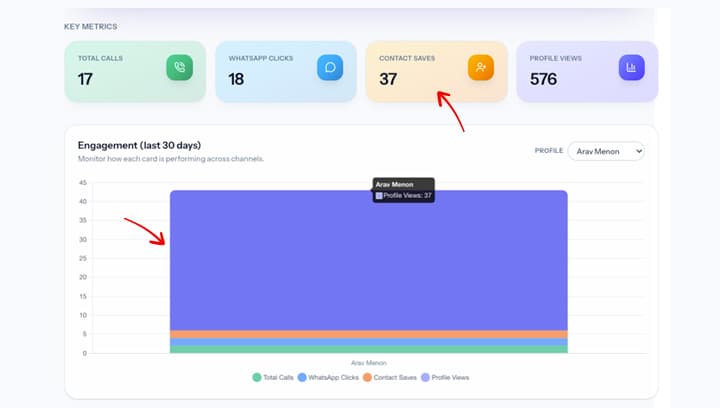
- Review views, clicks, and saves for each card.
- Use date filters to compare week-over-week performance.
Screenshot
Tips
- Look for spikes after campaigns or events.
- Use the data to refine your card content.
Need help? Email support@kalvo.app.