
Cards
How to delete a card
Permanently remove a card you no longer need.
Step-by-step
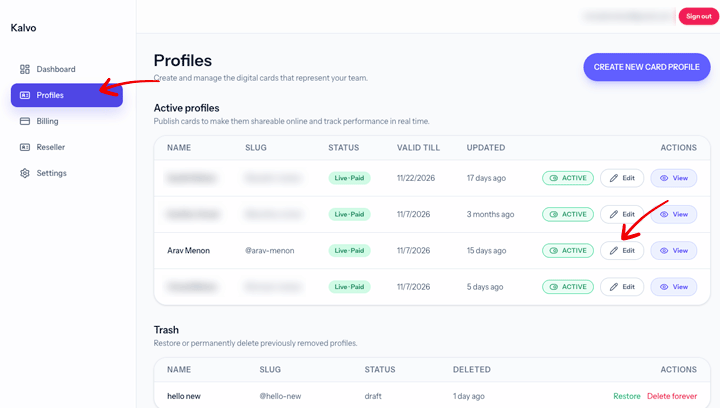
- Open the profile page.
- Click the edit button on the active or draft profile, scroll to the bottom, then move it to trash.
- From the trash table, you can restore or delete forever.
Screenshot
Notes
- Deleting a card cannot be undone.
- Export your contacts before deleting if needed.
Need help? Email support@kalvo.app.