
Cards
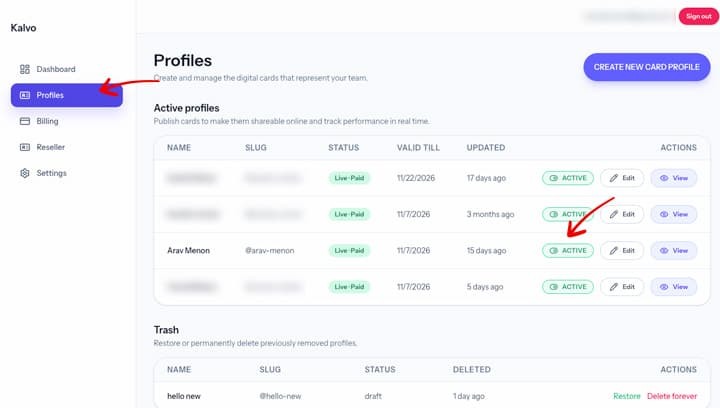
How to deactivate a card
Temporarily hide a card while keeping the profile data intact.
Step-by-step
- Open the profile you want to deactivate.
- Find the Status or Visibility setting.
- Toggle to Inactive and confirm.
Screenshot
Notes
- Inactive cards stop sharing but can be reactivated later.
- Analytics remain available even while inactive.
If you cannot access the profile, email support@kalvo.app.