
Profiles
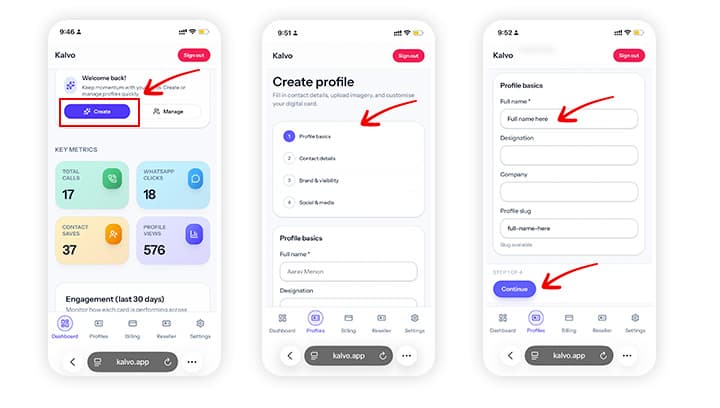
How to create your first profile
Build your first digital card and make it ready to share.
Step-by-step
- Log in and open your dashboard.
- Click Create profile and choose a template.
- Add your name, role, phone, email, and socials.
- Preview the card, then publish.
Screenshot
Tips
- Use a high-resolution logo for a sharper look.
- Test the share link on mobile before sending.
Need help? Email support@kalvo.app.