
Account
How to close your account
Close your Kalvo account when you no longer need access.
Step-by-step
- Open your account settings from the dashboard.
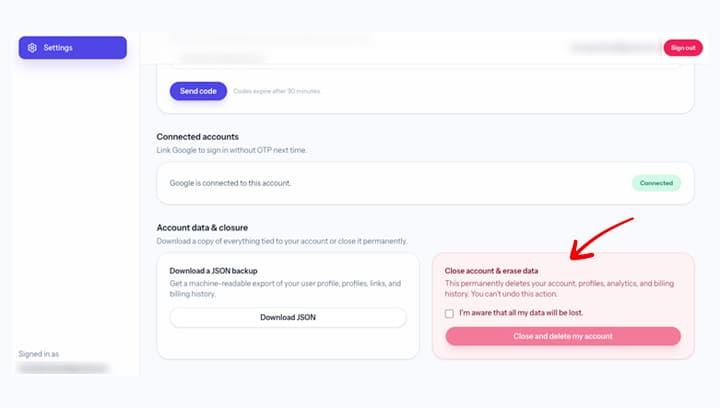
- Scroll to Close account and review the notice.
- Confirm the closure request.
Screenshot
Notes
- Account closure disables access immediately.
- Invoices and billing history remain available on request.
If the option is not visible, email support@kalvo.app and we will assist.